

Menu options
The contextual menu includes several pre-built options that you can enable by adding their identifier to your configuration.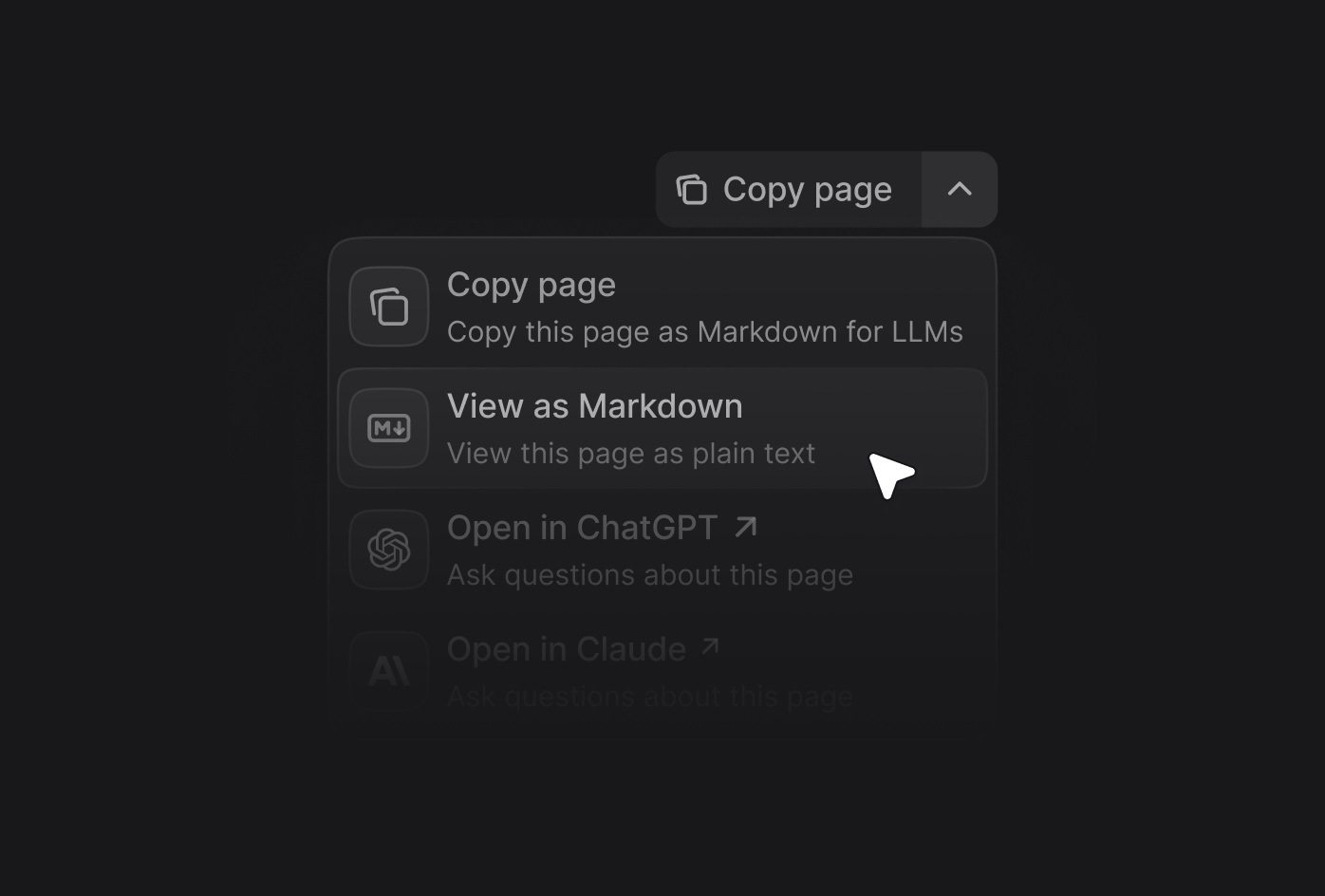
Enable the contextual menu
Add thecontextual field to your docs.json file and specify which options you want to include. Options appear in the menu in the order you list them.
Display location
By default, the contextual menu appears in the page header. You can configure it to display in the table of contents sidebar instead using thedisplay option.
Add custom options
Create custom options in the contextual menu by adding an object to theoptions array. Each custom option requires these properties:
string
required
The title of the option.
string
required
The description of the option. Displayed beneath the title when the contextual menu expands.
You must include one of
icon or src.string
The icon to display from an icon library.Options:
- Font Awesome icon name, if you have the
icons.libraryproperty set tofontawesomein yourdocs.json - Lucide icon name, if you have the
icons.libraryproperty set tolucidein yourdocs.json - Tabler icon name, if you have the
icons.libraryproperty set totablerin yourdocs.json
string
Path or URL to an image to use as the icon. Use
src instead of icon when you want to use a custom image rather than an icon from a library.Options:- Path to an image file in your project (for example,
/images/my-icon.svg) - URL to an externally hosted image (for example,
https://example.com/icon.png)
string
The Font Awesome icon style. Only used with Font Awesome icons.Options:
regular, solid, light, thin, sharp-solid, duotone, brands.string | object
required
The href of the option. Use a string for simple links or an object for dynamic links with query parameters.
Override on individual pages
To override the global contextual menu on a specific page, add thecontextual field to the page’s frontmatter. Override the global contextual menu to surface page-specific actions like download-pdf on a terms of service page, or to hide the menu entirely on a landing page.
The page-level contextual object replaces the global one for that page. Omit the field to inherit docs.json, or set options: [] to disable the contextual menu on that page.
docs.json, including custom options and the display setting. If a page override is invalid, Mintlify falls back to the global contextual configuration.
Custom option examples
Simple link
Simple link
Dynamic link with page content
Dynamic link with page content